WiseWallet
A personal finance tool for flexible budget management
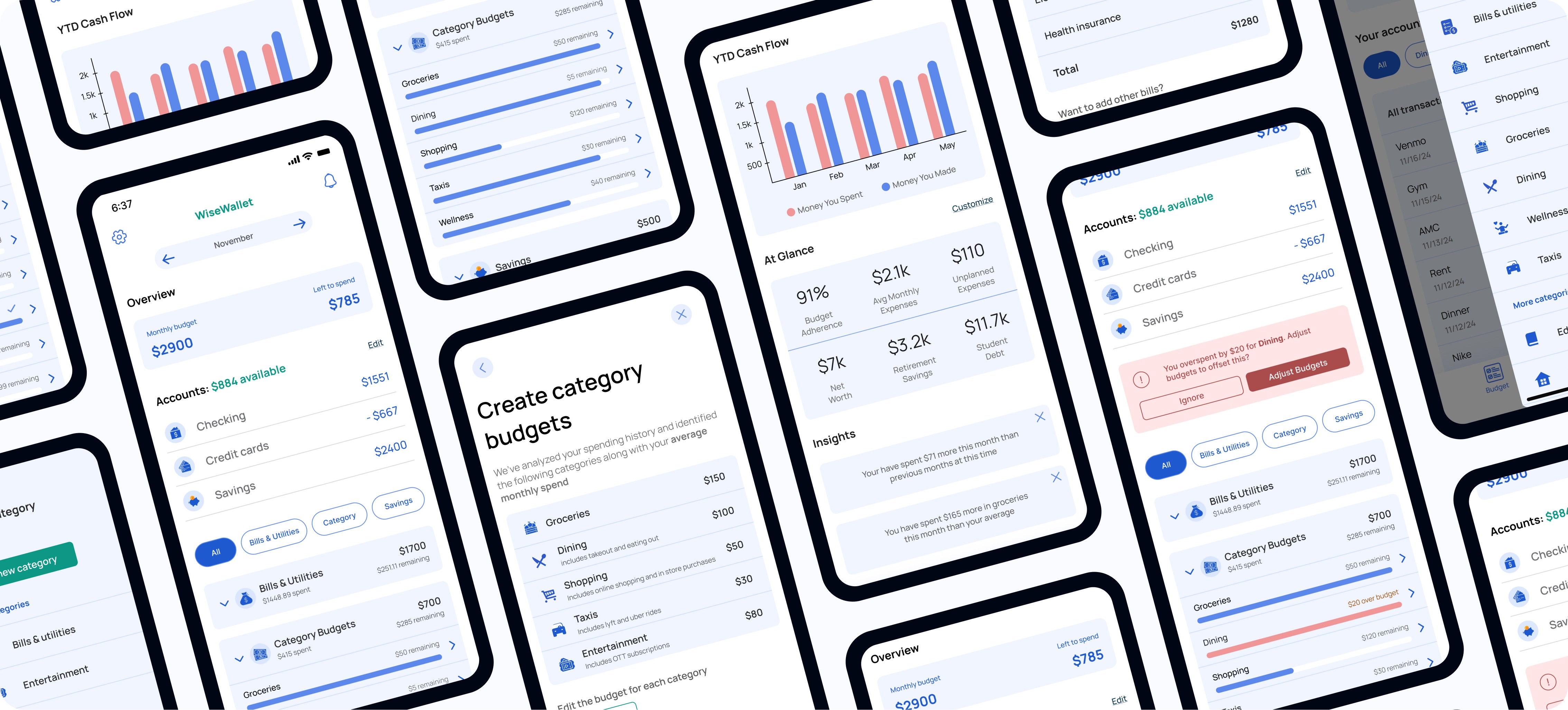
WiseWallet is a mobile budgeting tool designed for young adults with tight budgets who need more control than existing apps provide. I recruited and led a three-person team through this project.
While we collaborated on overall design direction, I focused on the core budgeting feature– including a budget reallocation tool that allows users to adjust multiple categories simultaneously. Raksha led onboarding, and Anna specialized in data visualization and documentation.
Timeline
Sep - Dec 2024
Team
3 Designers / Researchers
Industry
Fintech
Outcomes
72% improvement in comprehension
Reduced user confusion from 6/7 to 1/7 through transparency features
Validated budget reallocation feature
Simultaneous multi-category adjustment addresses a key gap in competitor apps
Background
Overspending & Manual Tracking
Despite widespread availability of digital budgeting tools, over 80% of Americans continue to overspend their monthly budgets (Marder, 2023). Millions rely on spreadsheets to manually manage their finances (Mehta, 2024). This gap particularly affects young people and lower-income individuals who need maximum control over tight budgets.
Problem
Existing budgeting apps either oversimplify (limiting flexibility) or require too much manual effort (like spreadsheets). Current solutions force users to adjust budget categories one at a time, requiring mental math to maintain balanced budgets. When unexpected expenses occur, reallocating funds becomes tedious and error-prone.

User Research
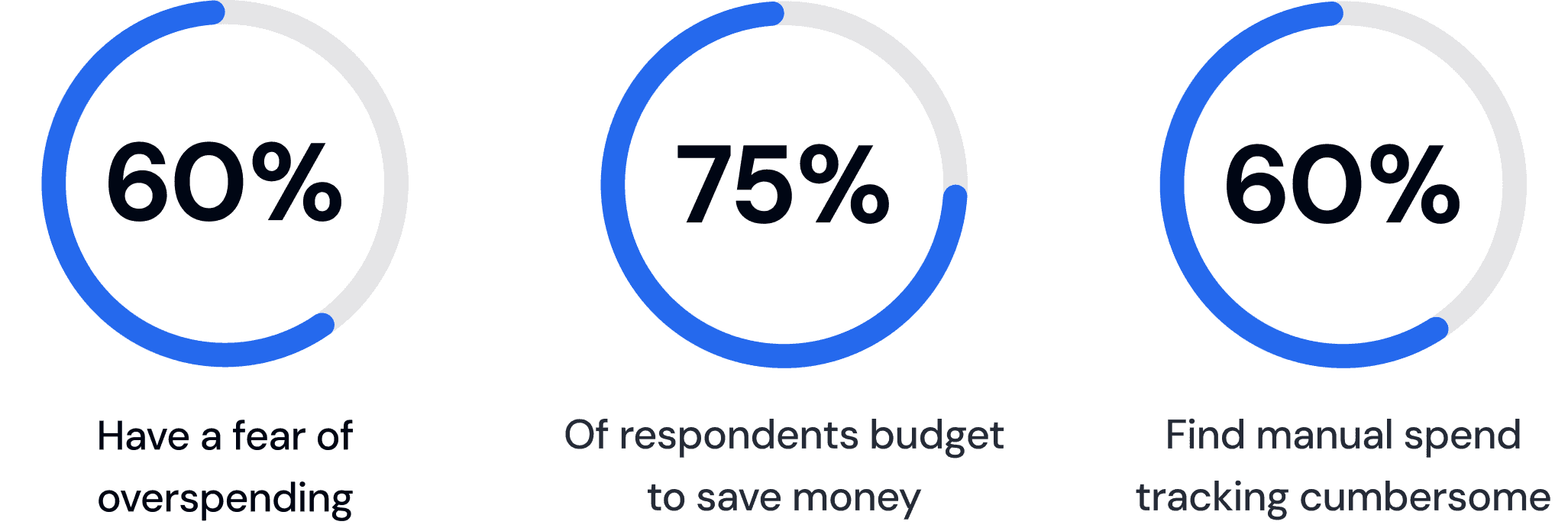
Survey: 54 Respondents
I conducted a survey to understand budgeting behaviors and pain points at scale.
User Interviews: 16 Participants
Lack of flexibility: Users couldn't easily adjust budgets when unexpected expenses arose, forcing them to either overspend or do complex mental math
Poor categorization: Bank apps provided categories that didn't match how users thought about their spending
Time burden: Manual tracking took too long, causing users to abandon their budgets

Key Insight:
Users want automated basics, with granular control when needed, especially when reallocating funds between categories.
Defining Core Features
Survey: 54 Respondents
Based on research findings, I identified three design requirements that would differentiate WiseWallet from existing solutions:
Based on research, I identified three design requirements:
Simplify and automate: Reduce manual entry through bank account linking
Personalize with flexibility: Allow users to adjust budgets easily in real-time
Educate through insights: Provide spending pattern analysis
These requirements translated into four key features:
Bank account linking for automatic transactions
Flexible budget creation and adjustment with real-time reallocation
Spending insights to identify patterns
Transaction categorization with manual override
Low Fidelity Designs
I created initial wireframes focusing on the core budget management flow, then conducted quick concept testing with 5 users to identify usability issues early.
Issue #1: Redundant Navigation
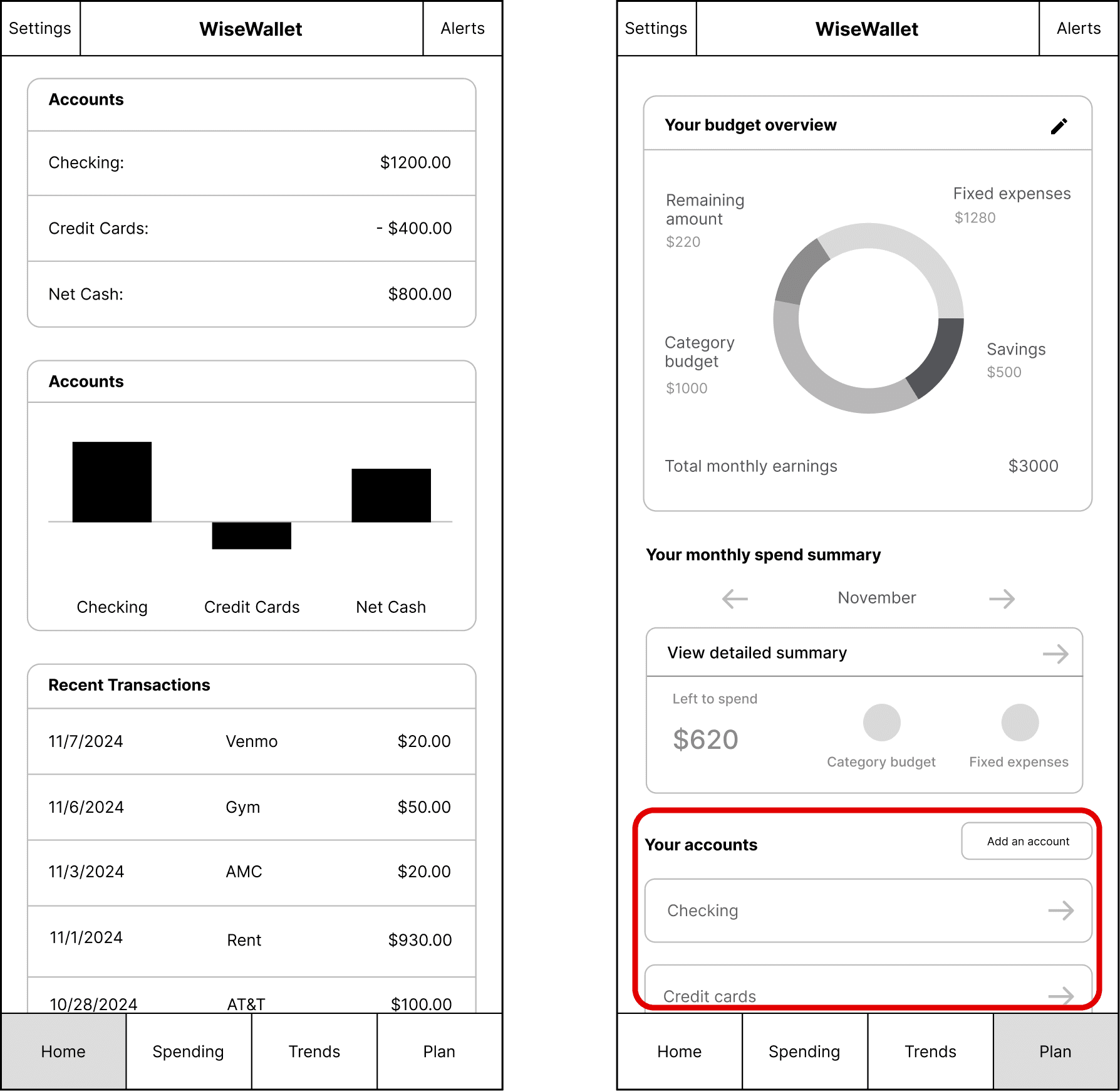
Problem: We assumed four tabs was the standard, but users couldn’t understand the difference between dashboard and plan
Solution: Consolidated to three tabs with clear purposes (Budget, Transactions, Insights)
Issue #2: Confusing Visuals
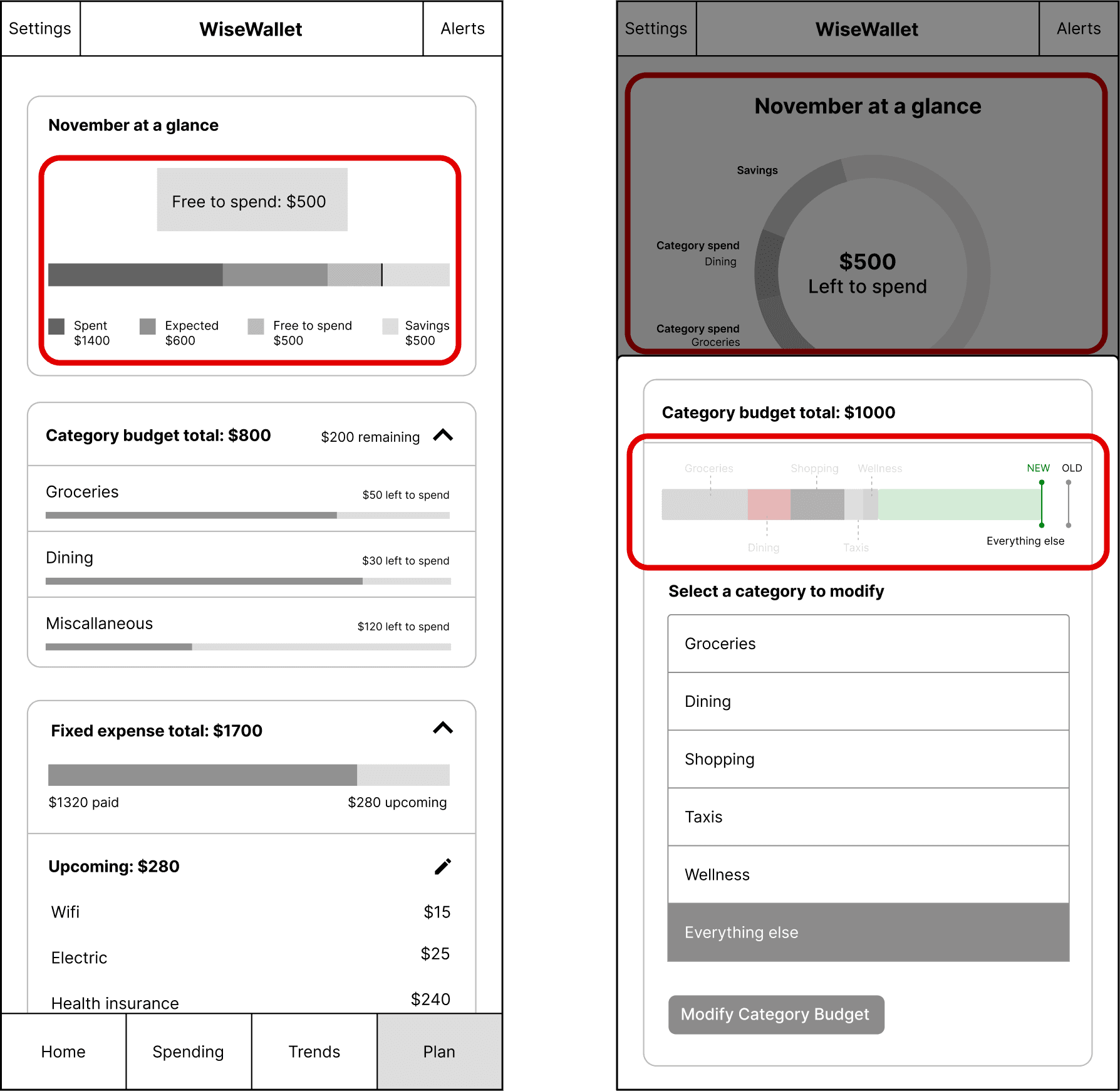
Problem: We wanted to include many graphics that aided understanding, but users found it unnecessary and confusing
Solution: Simplified to essential data visualizations only
Feature #3: Smart Recommendations
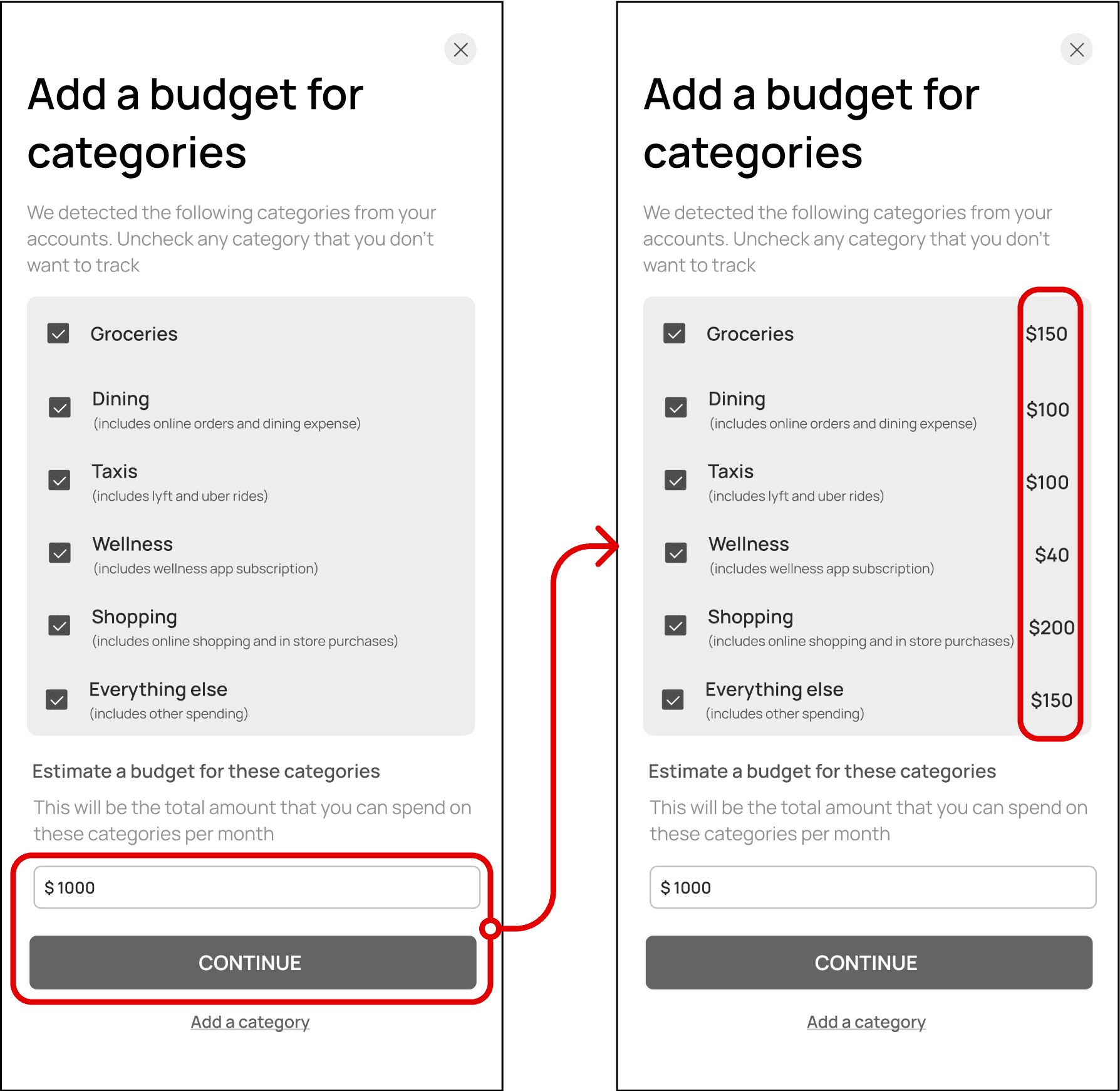
Problem: Users wanted to know how auto-generated numbers were determined and disliked not being able to edit
Solution: Made all calculations transparent and editable, with clear explanations of how defaults were determined
Key Takeaway from Lo-Fi Testing:
Users valued simplicity in data visualizations, automation in budget generation, and flexibility in editing suggested limits and categories.
Final Designs
Key Innovation: Budget Reallocation
This is the standout feature that emerged from user feedback about "lacking flexibility" was the budget reallocation tool.
Problem: When users overspend in one category, they need to reduce spending elsewhere. Existing apps force users to adjust categories one by one.
Solution: When increasing the budget for a category, WiseWallet prompts users to select another category to decrease by the same amount—maintaining budget balance automatically.
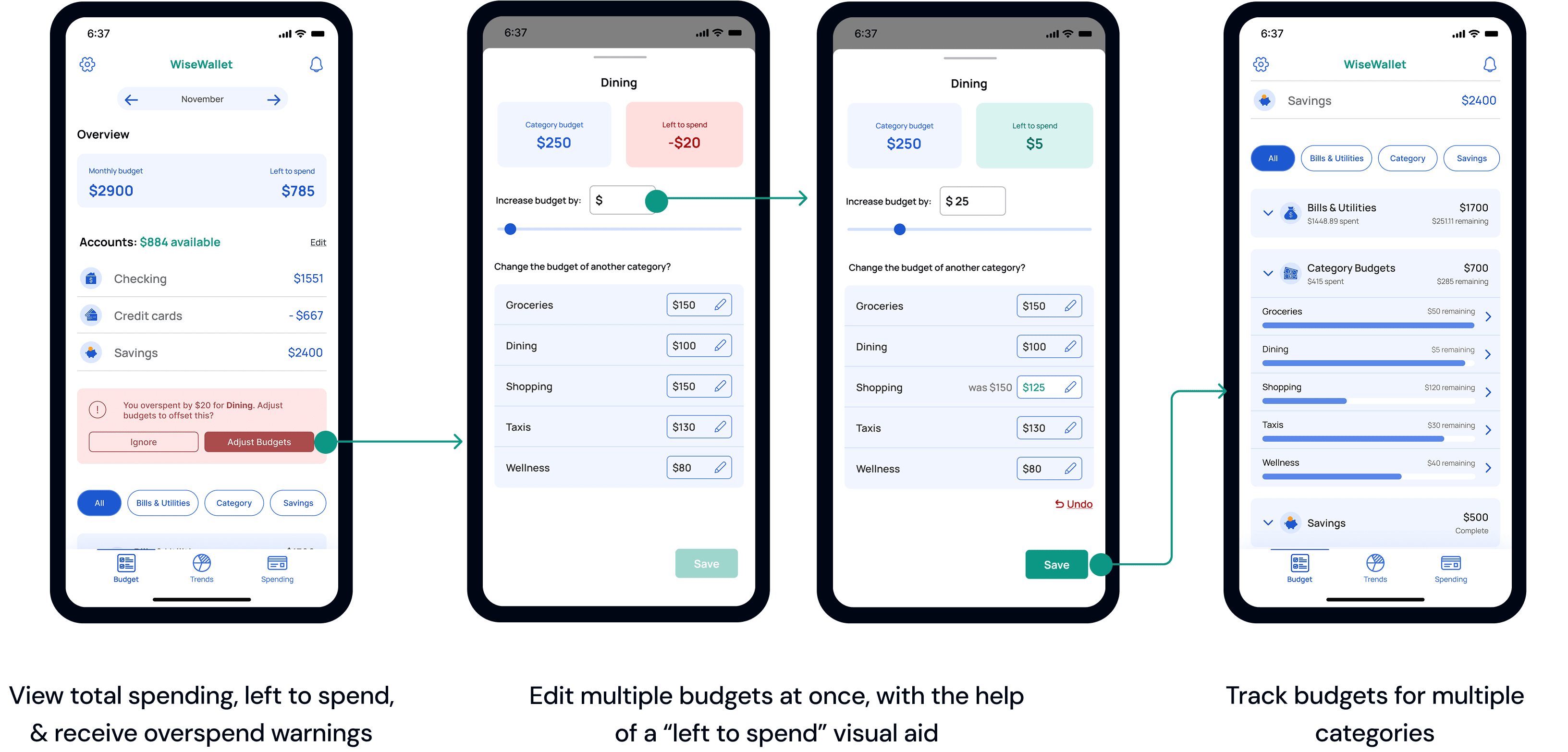
How It Works:
User increases a category (e.g., Dining: $250 → $275)
Modal asks: "Change the budget of another category?"
User selects which to decrease (e.g., Shopping: $150 → $125)
Both changes apply simultaneously
This mirrors how people naturally think about budgeting ("If I spend more here, I need to spend less there") but no major competitor offers this functionality.
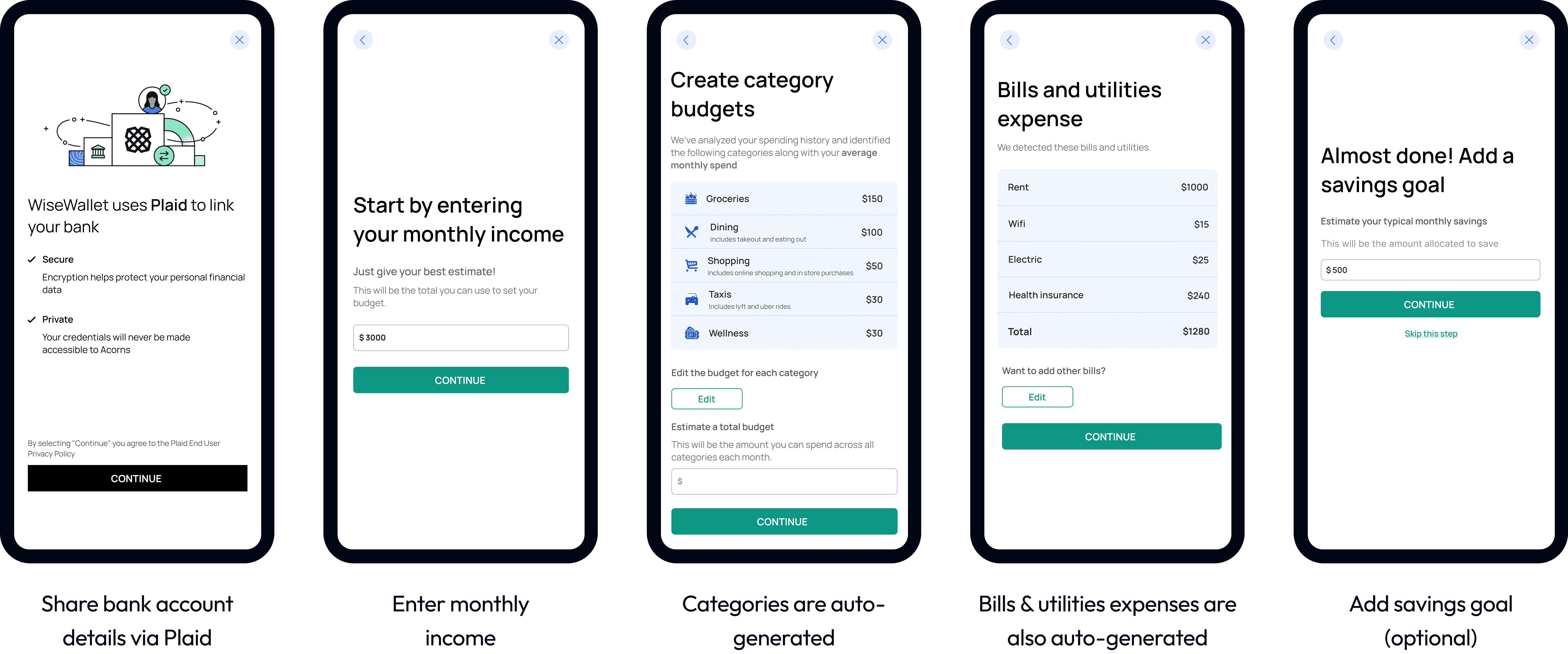
Onboarding & Budget Creation
After linking accounts, WiseWallet suggests initial budgets based on spending patterns with clear explanations. Users can immediately adjust via sliders or manual input.
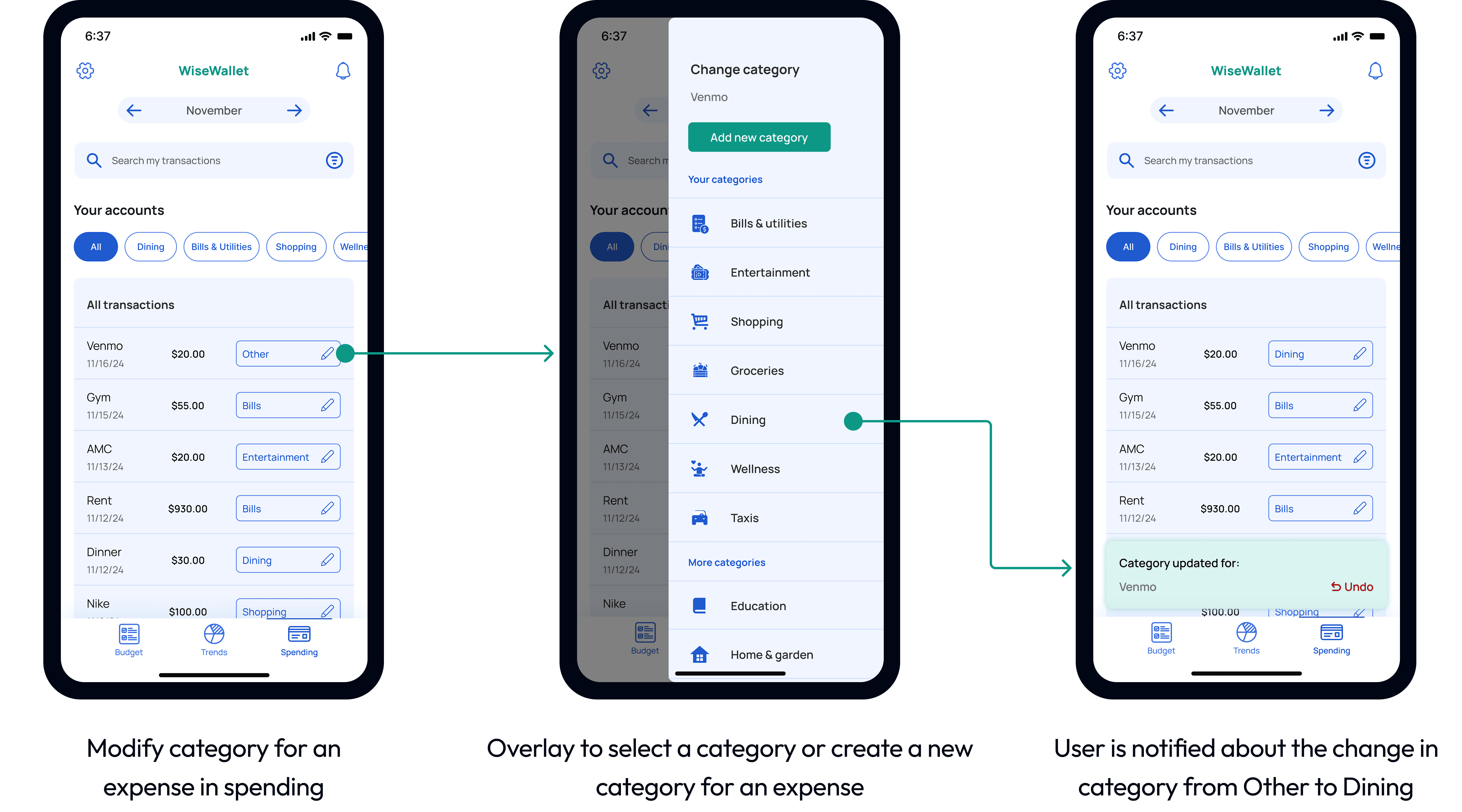
Transaction Management
Transactions auto-categorize but users can manually recategorize with a tap, addressing the "poor categorization" pain point and catering the need for customization.
Reflection
Test early and keep it simple: Early concept testing revealed users struggled with terminology and complex graphics. Also, I initially created four navigation tabs, but users pointed out how two pages felt similar, so we reduced the app to three tabs. This helped us narrow our focus to delivering a small set of core features, than trying to do everything at once.
Next steps: If continuing this project, I would:
Iterate, and re-test the reallocation feature, comparing it against baseline metrics collected
Explore a month-to-month budget carryover functionality (something users mentioned in interviews)